Calendar invoice app - billing without double entry
Create invoices from the appointments already in your calendar. Less admin, fewer missed billable hours and a simpler end-of-day workflow.
If your calendar already knows what happened, your invoice tool should not ask you to type it again.


We recommend an iPad or a tablet with a large screen if you want to take notes during sessions.
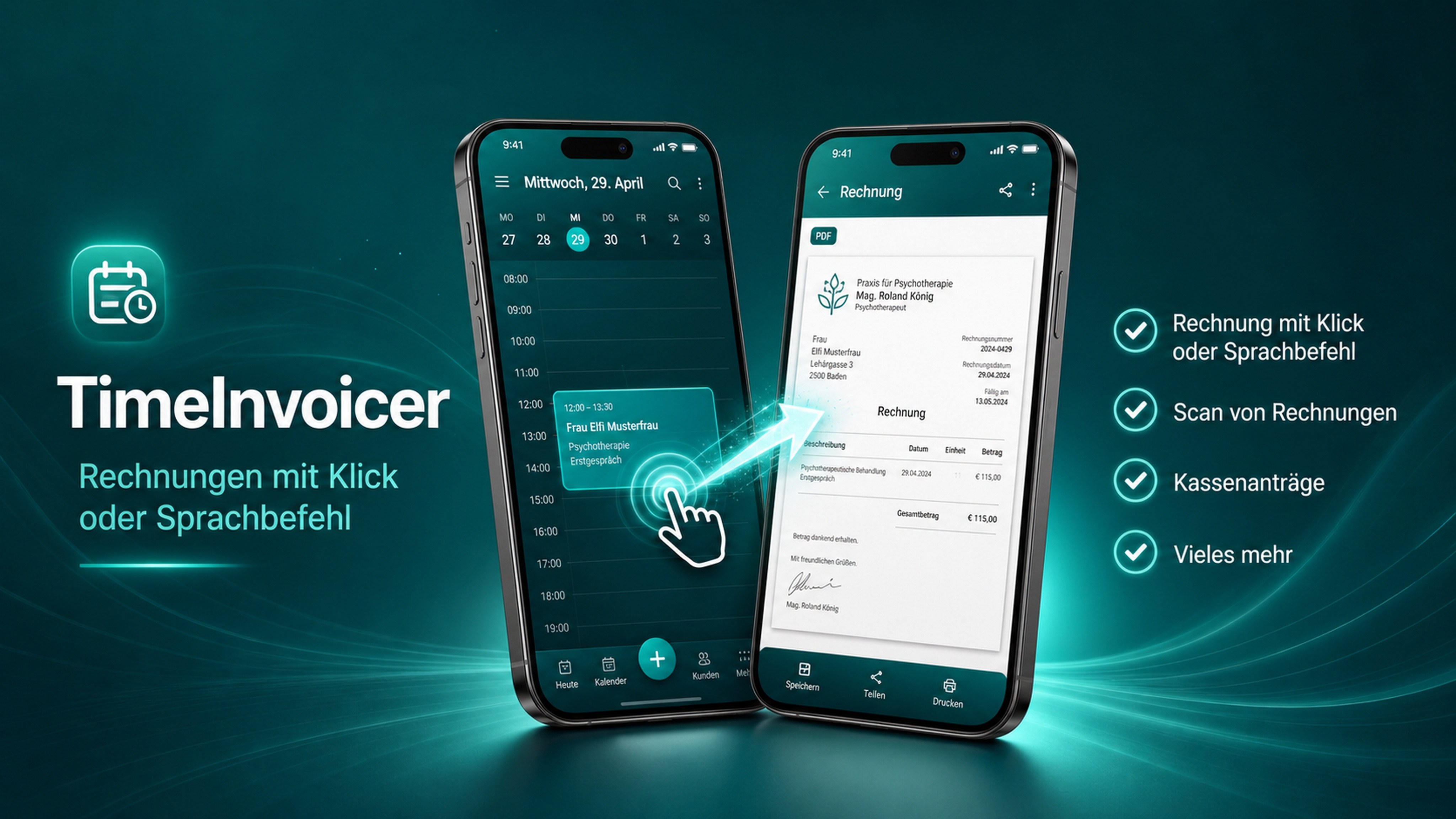
In 12 seconds
The invoice is done before your client leaves the room.
No slideshow — this is the real app, recorded on the device.
The double-entry problem
Many professionals track work in a calendar, then repeat the same data in billing software. That repetition is slow and easy to forget.
A calendar-first invoice workflow
TimeInvoicer reads the appointment, suggests invoice details and prepares a PDF that can be shared, printed or saved.
Designed for small professional workflows
The app is lightweight, local-first and focused on people who bill by appointment, session or service.
Less admin, more billable focus.
Bill directly from calendar events
A focused everyday workflow for appointment-based billing.
Use your existing Android calendar
A focused everyday workflow for appointment-based billing.
Create and share PDFs
A focused everyday workflow for appointment-based billing.
See open invoices
A focused everyday workflow for appointment-based billing.
Reduce admin after appointments
A focused everyday workflow for appointment-based billing.
Fit for freelancers, consultants, coaches and providers
A focused everyday workflow for appointment-based billing.
Frequently asked questions
What is a calendar invoice app?
It is billing software that uses calendar events as the starting point for invoices.
Does TimeInvoicer replace my calendar?
No. It works with your existing Android system calendar.
Can I invoice clients from appointments?
Yes. Select the appointment and create a PDF invoice from the event data.
Who is calendar-based invoicing for?
It is useful for appointment-based professionals who bill sessions, meetings, visits or services.
Turn your calendar into your billing source.
Try TimeInvoicer on Google Play and create invoices directly from appointments.
Start billing from your calendar